Did you also get stuck while updating your Windows 11 PC with the mandatory May 2026 Update (KB5089549)? Currently, millions of users around the globe are reporting the same issue.
Its symptom is that it gets stuck at 35% during installation, resulting in Error 0x800f0922. Even if you’ve somehow managed to push it through full installation, another bug is waiting for you just around the edge. You will notice a very crippled internet speed after it boots up.
At Arenaoftech, we’ve audited the root cause of the problem and added a one-click fix for this in our Win-Debloat tool. It will save you a lot of time, as all you need to do is copy the commands from our clipboard and paste them into PowerShell and execute.
Root cause of the issue
Everything depends on your hidden EFI System Partition (ESP). Microsoft’s new boot servicing files require specific block space in your ESP. If you happen to have an old PC, which likely has bloated OEM files or maybe third-party backup clutter sitting in ESP, then your PC will definitely face this bug.
All you really need to do is manually Map drives and delete hidden system files from the ESP partition. Our Win-Debloat does exactly that without you having to do the hard work.
How to Fix It Instantly Using the Arena Debloat Tool
- Navigate to the Arena of Tech Debloat Tool (Win-Debloat).

- To make sure you don’t accidentally change anything else, uncheck everything on the main dashboard. We only want to target this specific update bug.
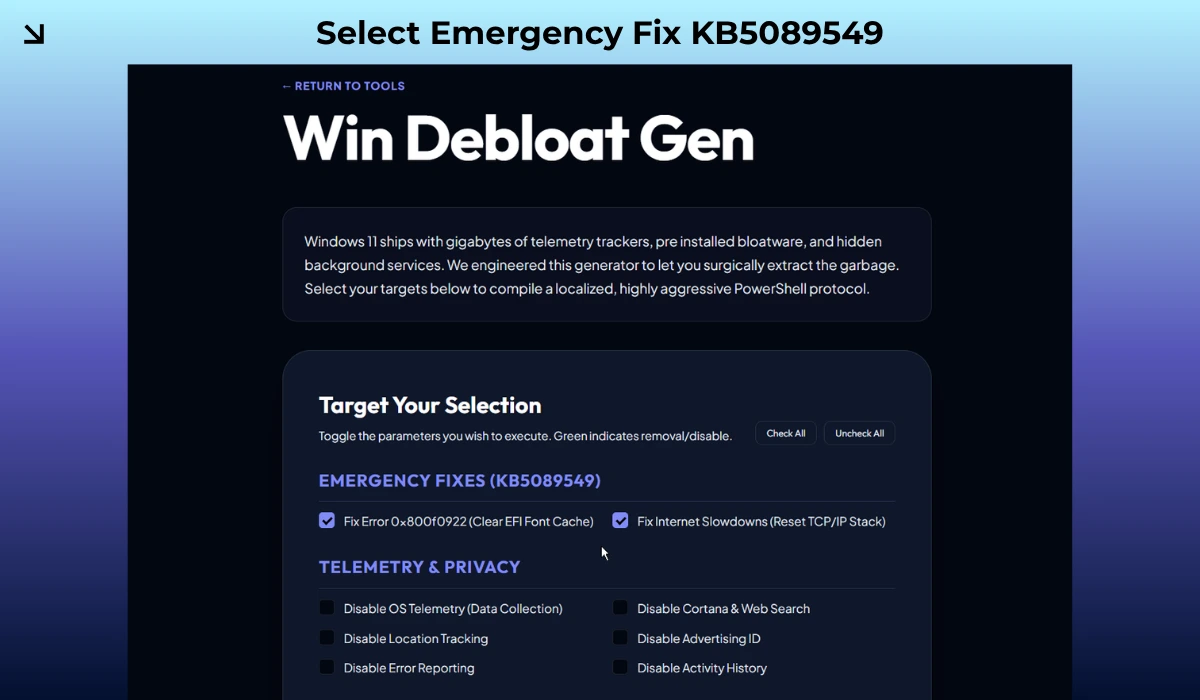
- Check the box for the KB5089549 Emergency Fix (EFI Clean & Network Flush) function.
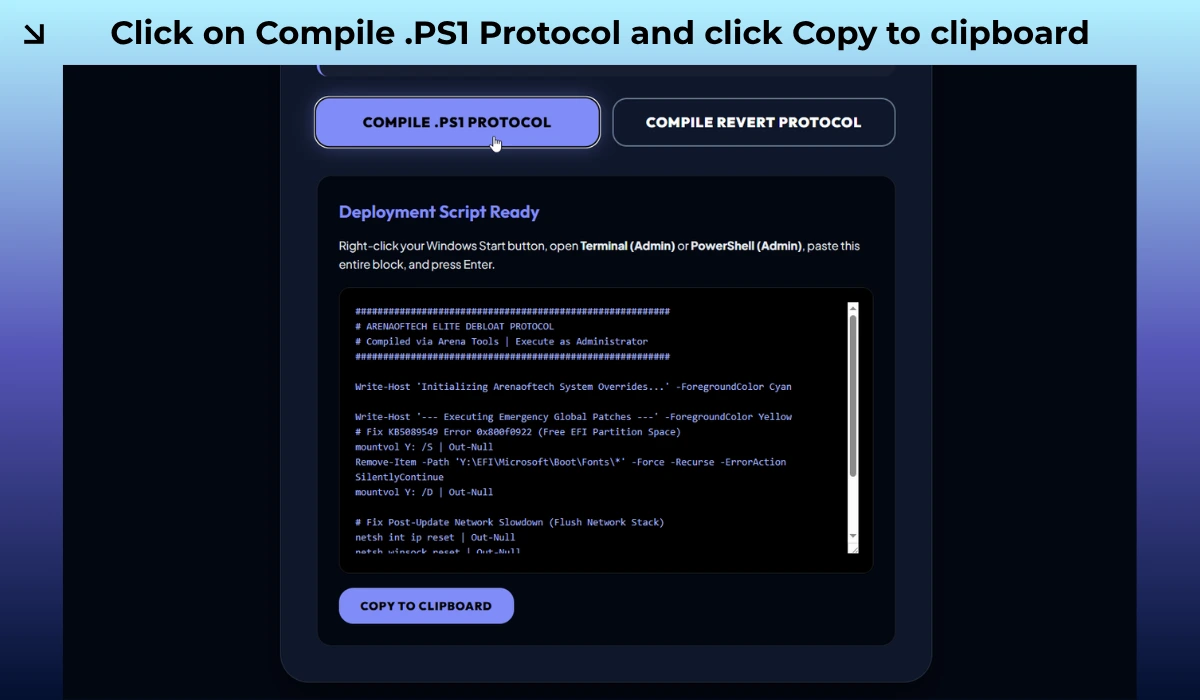
- Click the Compile button. The tool will instantly generate your custom rescue script. Click Copy Code.
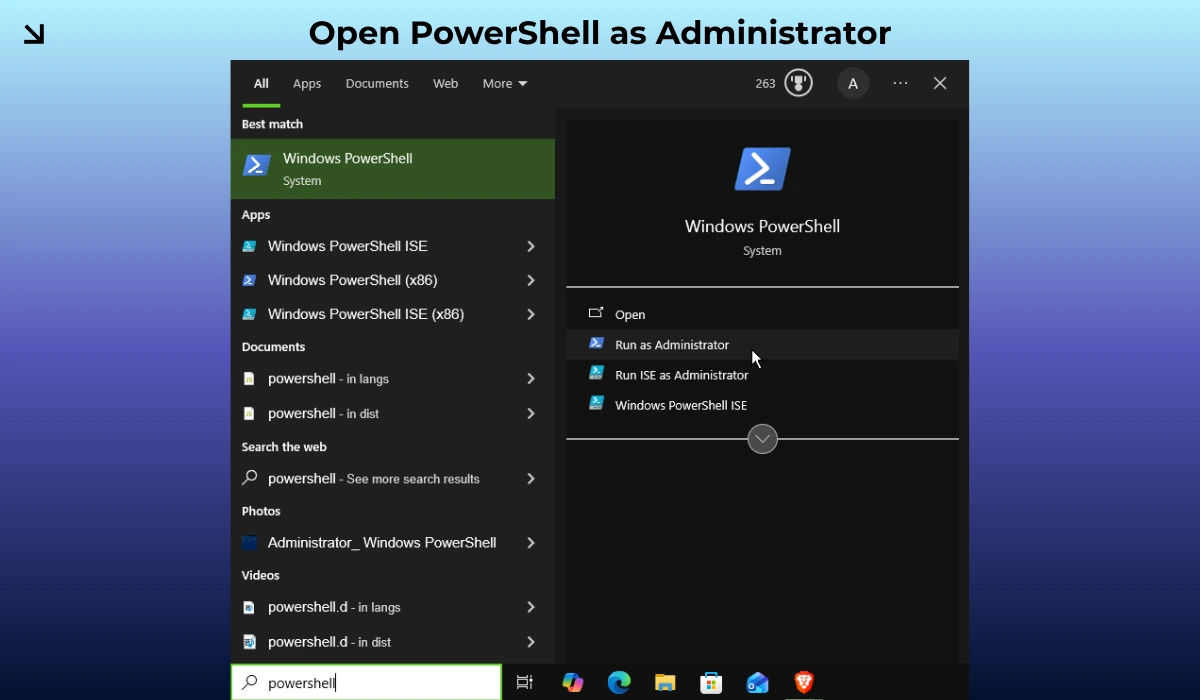
- Now open PowerShell with admin rights. You can search for it in Windows search.
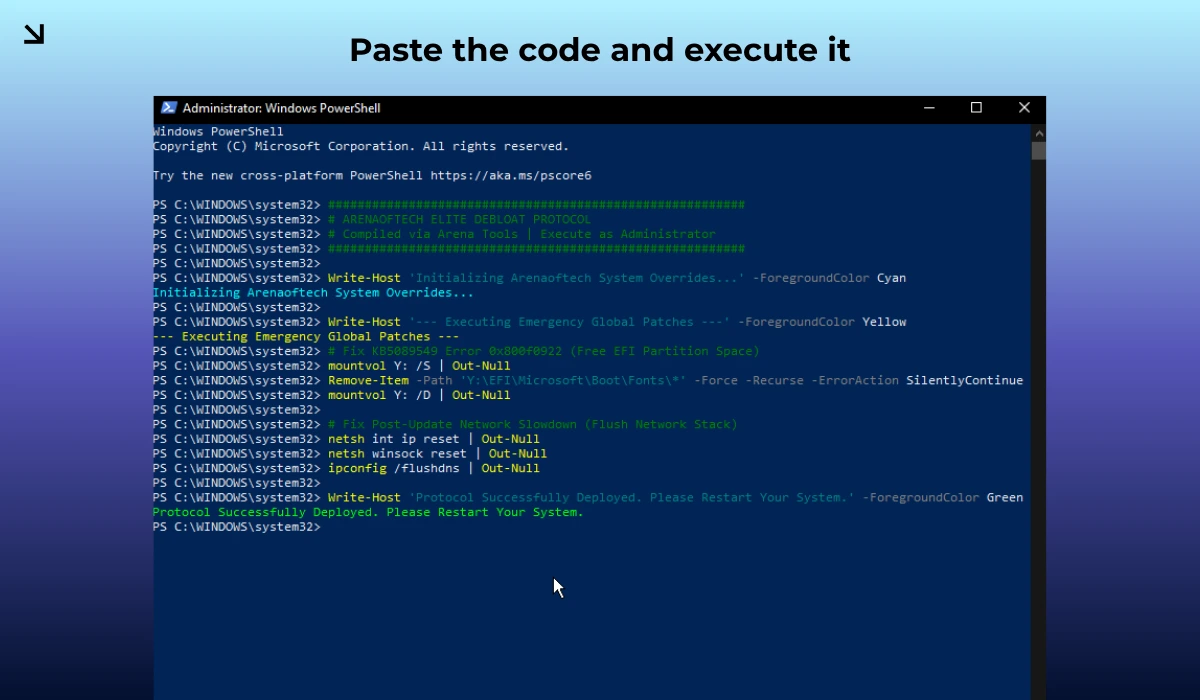
- Paste the exact code and hit enter. This will immediately apply the changes.
Note: You can also revert any change using the Compile revert protocol option, if your problem doesn’t get fixed (which is very unlikely).
Now, restart your computer, go to Windows Update, and hit download. It will glide right past 35% and install flawlessly.
Protect your hardware, take control of your operating system, and bookmark ARENAOFTECH for future updates.