Stop Melting Your CPU: The ARENAOFTECH Zero-Bloat Game Booster
Tired of using mainstream commercial game boosters for your PC games? No doubt it’s a great idea to use Game Booster for better performance, but it’s 2026, and most of the boosters are so UI oriented that they consume way more resources than what they allocate for the game.
I know there was a time we all had that one game booster as a saviour for heavy AAA titles, but now, there’s rarely a concept of Lite resource consumption by these optimizers.
If you are gaming on a Standard Desktop or an RTX 3050-3060 series gaming laptop, you just know what I am talking about. On top of that, if you decide to use a bloated Game optimizer, you will instantly notice your CPU temp rise like quicksand.
At ARENAOFTECH, we believe in taking full control of your software and hardware, without having to install a third-party Optimizer, which often ends up using up more resources to just barely run.
We built the ARENAOFTECH Game booster right from scratch after numerous gamer-tested trials. It delivers unparalleled performance on your system once activated. Instead of using heavy UI applications, we have made .bat files that can be clicked and opened immediately to execute the changes within 5 seconds.
As a human-tested batch script, it temporarily strips away bloat, protects your hardware from thermal throttling, and delivers maximum performance to your game, without breaking any of your controls.
It doesn’t guess; instead, it uses targeted command-line features to suspend exactly what is holding your CPU back.
What does our Optimizer actually do?
CPU Protection
Modern CPUs are designed to instantly spike up their voltage, so that they can hit boost clocks on demand without slowing down. But it also happens when the game doesn’t need it at all, and that’s how your CPU temps hit up to 90 degrees instantly, even if your game needs just 60% of the power and speed. For many users, this instantly triggers thermal throttling, and thus, your game starts to stutter.
Our Optimizer injects a direct command to the Windows Power configuration, safely dropping PERFBOOSTMODE to an efficient state. This prevents the instant voltage spikes, dropping your temperature up to 15°C, while maintaining incredibly stable frame rates and actively nurturing and extending your hardware lifespan.
No Broken Controls
Typically, sometimes a game optimizer kills everything, literally everything, including the Windows Explorer shell, or disables your Human Interface Devices (HID).
ARENAOFTECH Game Booster features a dedicated shielding block that forces your sound drivers and HidServ (your keyboard/mouse media controls) to stay online without interrupting your gaming session.
Deep Registry Network Fortification
When you face ping spikes in competitive online multiplayer games, it is often because of a hidden service of Windows 10/11. Windows actively throttles background network traffic to save resources for multimedia playback.
Our solution? The optimizer safely modifies the system registry temporarily and disables the NetworkThrottlingIndex. It commands your network adapter to prioritize raw game data packets, which gives you a tangible edge in latency. When you turn off the optimizer, your default settings are restored without spoiling your experience at all.
Zero Background Footprint
When the Optimizer finishes its 5-second optimisation sequence, it automatically closes and doesn’t run or stay hidden in the system tray; it uses absolutely zero RAM and immediately gets out of your way after its job is done.
Anti-Interruption Keyboard Lock
What could be more frustrating than accidentally pressing the shift key a few times and getting the sticky key banner right in the middle of your game? Our script successfully locks the function keys, such as the Windows key, shift, etc., allowing absolutely zero interruptions during your gameplay.
VRAM Leak Mitigation & Deep Memory Flush
You’re locked in your game for 3 hours straight, and suddenly your game starts to stutter, even though your temps are stable, but your FPS drops. Most players fix it by just restarting the game. This happens due to a VRAM Leak. When the game’s engine fails to empty your GPU's memory (VRAM), it forces excess data to overflow into your system memory (RAM). This clogs the entire pipeline and ruins your performance.
When you run our Optimizer, it runs an aggressive PowerShell command that forces every idle background application to surrender its working set (cached memory). This empties a chunk of system RAM, which is quite efficient for handling VRAM overflow. It also purges DirectX, NVIDIA, and AMD shader caches to prevent micro-stutters, providing long-term stability.
Service Suspension
Windows constantly runs many services that aren’t really necessary while you play. These services, such as WSearch and telemetry diagnostics (DiagTrack), run in the background, consuming resources that often stress your CPU.
You can use our Win-Debloat tool to permanently debloat your Windows; however, we’ve also added the same performance tweaks to ARENAOFTECH Game Booster to temporarily disable services that aren’t needed while you're playing.
How to Use It
Note: This is a two-part toolkit that is designed for safety and absolute control.
- Download and extract the ARENAOFTECH Zip file from the download button below.
- Double click and open “ON-GamingMod.bat”, it will automatically ask for Admin rights, click yes.
-
Let it run; it could take 5-8 seconds to apply the tweaks. It will automatically close after it is done.
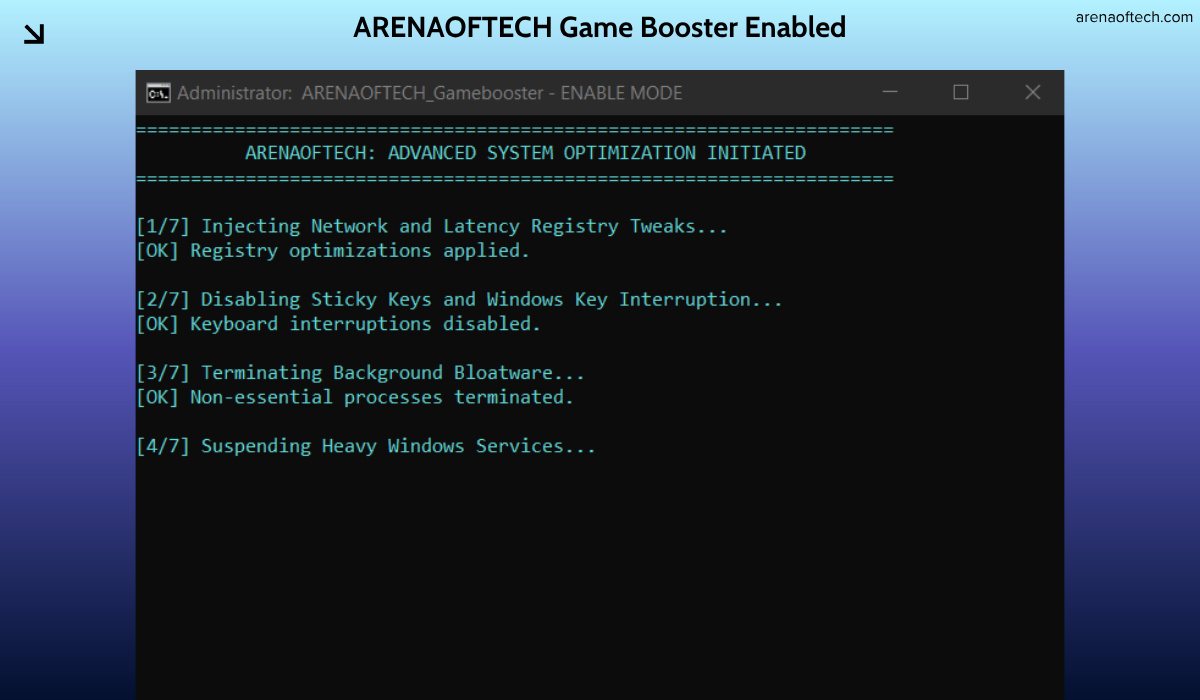
- Launch your game and experience the difference.
-
After you are done playing, just run the “OFF-GAMINGMoD.bat” to restore your system to standard mode.
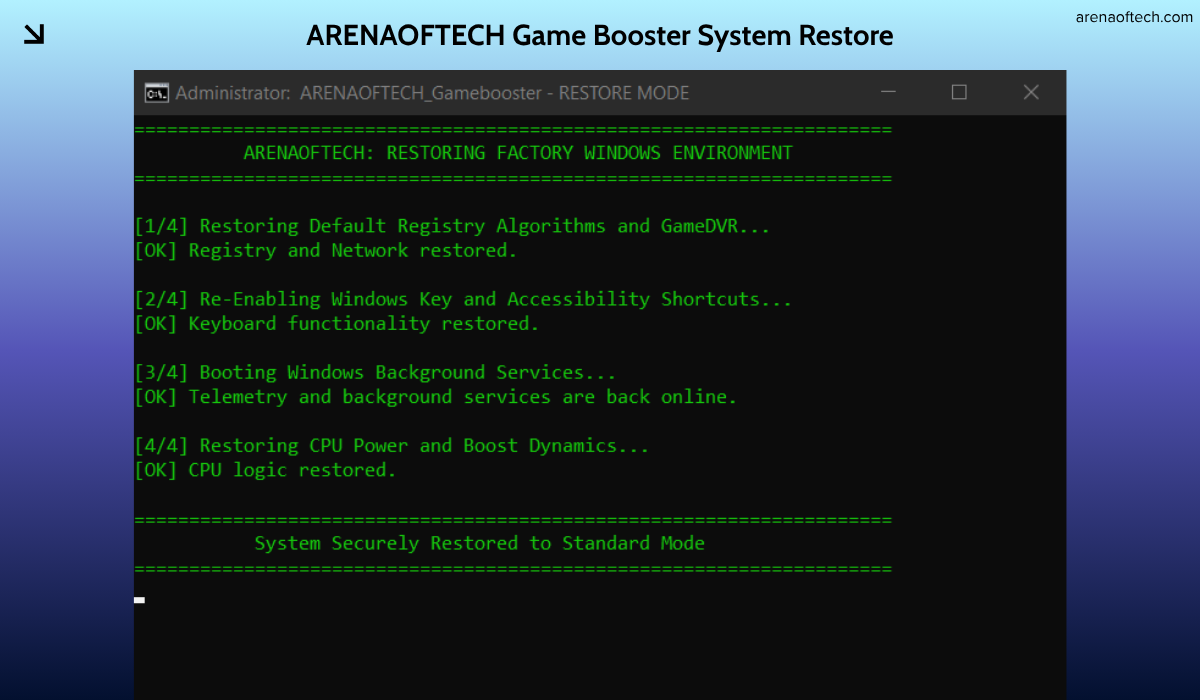
If your game reacts poorly or your system becomes unstable, zero permanent damage is done. Simply execute the OFF-GAMINGMoD.bat file, and your system's default registries, services, and power states are instantly restored with complete precision.
Download ARENAOFTECH Game Booster