You’ve patiently waited for the Primewood Genesis drop, you’ve got your friends ready, and just when you were about to start, your download speed gets stuck at 0.1 KB/s, or you get a false Storage full error even after having more than 50 GB of storage.
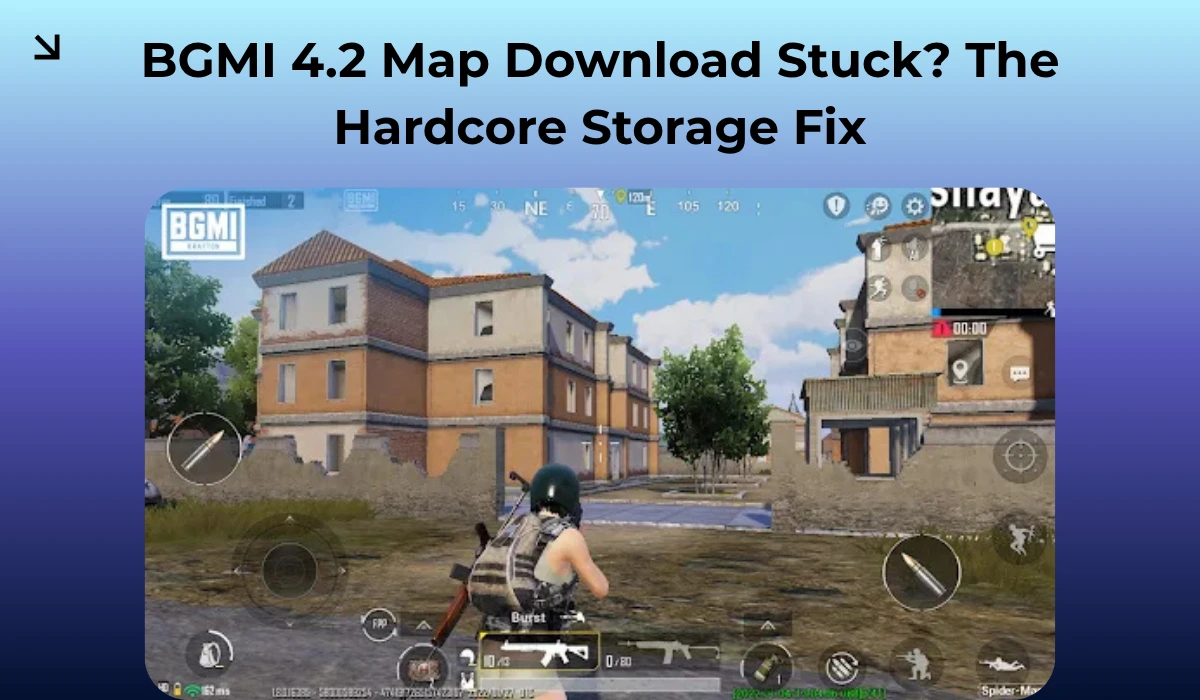
It’s not always your phone at fault; it is the notorious BGMI 4.2 update and its resource index. If you can’t download your Maps, that’s because of a resource initialization loop on your phone, rather than a server issue, caused by Android’s newer security layers.
Here’s how you can fix it immediately to get back into the lobby.
Repair Is Not Enough
Here, most of the players depend on the repair button to work charms and fix their game, which is not wrong at all; usually, just the repair button helps in patching your game.
But here’s the catch: when you hit the repair button, then the map metadata is ghosted as your phone thinks it is perfectly fine, so it doesn’t download it again.
To fix this, you can try to repair by unchecking everything except for the delete maps option. This specifically fixes the game and clears the path for the 4.2 assets.
Android 16 Scoped Storage Gate
If you happen to own a modern flagship phone like the Pixel 10 or Galaxy S26, or any modern android which comes out of the box with Android 16 loaded, then it could be Android’s scoped storage blocking the BGMI application from writing the new map data to the Android/data folder.
To fix it, follow the instructions below.
Go to Settings > Apps > BGMI.
Look for All Files Access or Special App Access.
Ensure it is toggled ON
If you notice your download isn’t moving past 0%, you can use a third-party application such as Zarchiver to manually check inside the com.pubg.imobile folder if it has a file which ends with .tmp; if you find it, delete it immediately.
This will force the game to re-initialize the handshake with Krafton servers.
Private DNS Network Conflict
While this might not be applicable to all players, many players have reported that just switching to Mobile Data or W-Fi has fixed their game. This usually happens because sometimes the ISP or Private DNS blocks the specific subdomain that Krafton uses for Maps.
The OBB Mismatch (For Sideloaders)
Some players often get the game from third-party applications, and they use the same ones to update it too. If your OBB version is 4.1, while your application version is set to 4.2, then it will surely result in errors.
To fix this, head to your internal storage>android>obb>com.pubg.imobile
Make sure the OBB file name starts with main.18xxx (for 4.2).
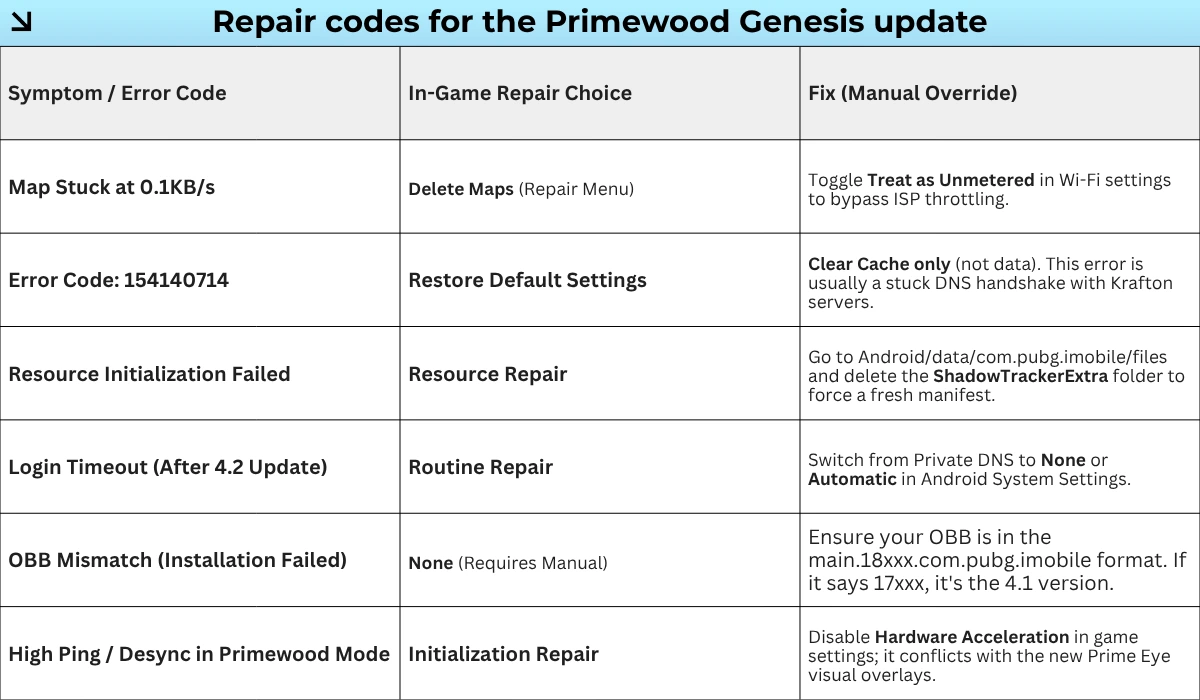
Tip: Sometimes Android 16 flags your home Wi-Fi network as a metered connection to save data. This silently pauses the connection between your game and Krafton servers, making your game unplayable.
Go to Wi-Fi Settings > [Your Network/Wi-Fi name] > View More > Network Usage and manually set it to Treat as Unmetered.
These are the ways by which you can fix your game, while not everyone has the same culprit, which is why we have laid out the most important checks to fix your game.
Follow arenaoftech for more such fixes and game guides. See you in the Corrupting Swamp. Stay frosty.